M&N SOFT / ENGINEERING 003
When Does a Business Actually Need an Internal Portal?
Email, spreadsheets, shared folders, messaging apps and SaaS products can support a company for years. But as operations become more complex, the same tools can begin creating duplicate entry, fragmented data, unclear responsibility and manual work. This Engineering report examines when an internal business portal becomes useful, what it should contain, what it should not become, and how companies can evaluate whether custom software is justified.
01 / THE BASIC IDEA
An internal portal is not simply a private website.
A useful internal business portal is an operational layer connecting people, data, documents, permissions and workflows.
Depending on the company, it may become the place where employees receive assignments, managers approve requests, drivers upload documents, accountants review settlements, customers check status, administrators manage users, and operational data moves between multiple systems.
The interface may look like a dashboard, but the important part is underneath: business rules, database structure, permissions, integrations, audit history and workflow automation.
A dashboard displays information. An operational portal helps the organization act on that information.
02 / THE WARNING SIGNS
How do you know when ordinary business tools are no longer enough?
There is no universal employee count or revenue threshold at which a company suddenly needs custom business software. The better signal is operational friction.
A business may be a candidate for an internal portal when several of these conditions appear repeatedly:
- The same information is entered into multiple systems.
- Employees regularly copy data from email into spreadsheets.
- Important documents are scattered across inboxes and folders.
- Managers approve operational decisions through text messages.
- Different departments maintain conflicting versions of data.
- Employees need to ask where a document or request currently is.
- Customers call the office for information already stored internally.
- Reports require manual consolidation from several sources.
- Permissions are managed informally instead of by defined roles.
- New employees require extensive explanation of manual procedures.
- A single spreadsheet has effectively become a company database.
- One employee knows how the entire workflow works and nobody else does.
One of these problems alone may not justify custom development. Several of them occurring every day can indicate that the company has outgrown its current operational architecture.
03 / THE SPREADSHEET THRESHOLD
Excel is powerful. The problem begins when Excel becomes infrastructure.
Spreadsheets are excellent for calculations, analysis, forecasting, financial modeling and many structured business tasks. The issue is not that companies use Excel.
The architectural problem begins when a spreadsheet becomes the primary database, user interface, workflow engine, permission system, reporting layer and integration mechanism at the same time.
We examined this transition in Engineering 001: Why Are Businesses Still Running Critical Operations Through Excel?
An internal portal does not necessarily eliminate spreadsheets. A well-designed system can still export data to Excel or import structured files when that is useful. The goal is to move operational state into a controlled system of record.
04 / EMAIL AS A WORKFLOW ENGINE
Email is communication. It is usually a poor workflow database.
Many business processes begin innocently:
This works at small scale because humans provide the missing coordination. Employees remember who should receive the message, which attachment is current, whether approval happened and what must happen next.
As volume increases, the company begins spending more human attention simply maintaining the process.
A portal can convert the same sequence into structured state: request created, assigned, reviewed, approved, rejected, completed and archived.
05 / ONE SOURCE OF TRUTH
The strongest reason for a portal may be surprisingly boring: consistent data.
Consider a company where customer information exists in a CRM, operational details live in spreadsheets, documents are stored in a cloud drive and accounting information exists in another platform.
Each tool may work perfectly by itself. The problem is the movement of information between them.
Employees may copy customer names, addresses, reference numbers, prices, statuses and notes from one application to another. Every manual transfer introduces another opportunity for delay, duplication or inconsistency.
An internal portal can become either the authoritative system of record for selected data or a controlled interface that coordinates several authoritative systems through APIs.
06 / ROLE-BASED ACCESS
Not every employee should see or change everything.
As business software grows, authorization becomes as important as authentication.
A transportation company, for example, may have administrators, dispatchers, accountants, fleet managers, drivers and owner-operators. These people interact with overlapping operational data but do not necessarily require identical access.
Role-Based Access Control, commonly called RBAC, allows permissions to be associated with defined organizational roles instead of improvising access for every individual user.
A custom portal may define permissions for actions such as:
- viewing financial information;
- editing customer records;
- assigning work;
- uploading documents;
- approving payments;
- changing workflow status;
- viewing claims or sensitive records;
- managing users;
- exporting operational data;
- accessing administrative settings.
Permissions should reflect actual business responsibility rather than merely hiding buttons in the user interface.
07 / EMPLOYEE PORTAL
What can an employee portal actually contain?
The term employee portal can describe anything from a document library to a complete operational workspace.
Depending on the organization, useful modules may include employee onboarding, company documents, assignments, time records, internal requests, equipment information, training materials, approvals, notifications and communication with management.
The key is not to recreate every piece of HR software. The portal should focus on workflows where centralization produces measurable operational value.
08 / CUSTOMER PORTAL
Sometimes the internal portal should have an external window.
Businesses frequently receive repetitive customer questions: What is the current status? Was my document received? Has the invoice been processed? Can I download the report? Who is handling the request?
A customer portal can expose carefully selected information from the internal system without exposing the internal system itself.
Common customer-facing functions include:
- secure login;
- request or order status;
- document upload;
- document download;
- invoices and payment information;
- messages;
- support requests;
- service history;
- notifications;
- profile and organization settings.
09 / DOCUMENT MANAGEMENT
A shared folder and a document workflow are different things.
Cloud storage is extremely useful, but storing a file does not automatically explain what the file represents, who must review it, whether it is current or what business record it belongs to.
An operational portal can associate documents with customers, employees, vehicles, projects, claims, orders, loads or other business entities.
It can also maintain metadata such as upload time, uploader, document type, expiration date, review status and related workflow.
This turns document storage into document management.
10 / APPROVAL WORKFLOWS
Approvals are one of the clearest opportunities for business automation.
Many organizations still approve expenses, documents, discounts, settlements, purchases and operational exceptions through email, messaging applications or verbal confirmation.
A structured approval workflow can record:
- who submitted the request;
- when it was submitted;
- who must review it;
- its current status;
- supporting documents;
- comments;
- who approved or rejected it;
- when the decision occurred;
- what action followed the decision.
This can improve both operational visibility and accountability.
11 / DASHBOARDS
A useful dashboard answers operational questions.
Dashboards are often designed around attractive charts before anyone asks what decisions the user actually needs to make.
A better dashboard begins with questions:
- What requires attention today?
- What is overdue?
- What is waiting for approval?
- Which records are incomplete?
- Where are operational bottlenecks forming?
- Which users or departments have pending work?
- What changed since yesterday?
Analytics can then support action rather than becoming decoration.
12 / API INTEGRATION
A portal does not have to replace every system your company already uses.
Replacing mature accounting, payment, communication or CRM platforms simply to create one interface may introduce unnecessary cost and risk.
APIs can allow an internal portal to coordinate existing services. Depending on available integrations, the portal might retrieve data, create records, synchronize statuses, trigger notifications or send structured information to another platform.
This is one reason custom business software can be valuable even when a company already uses several SaaS products: the custom layer can connect the workflows between them.
Learn more about business process automation and custom software development.
13 / MOBILE ACCESS
Operational software increasingly has to leave the office.
Drivers, technicians, field employees, sales teams and managers may need access to business workflows while away from a desktop computer.
That does not automatically mean every internal portal requires a native mobile application.
A responsive web application may be sufficient for many workflows. Native iOS or Android development becomes more relevant when the product requires deeper device integration, specialized background behavior, camera workflows, push notifications or other mobile-specific capabilities.
14 / AUTOMATION
The portal becomes more valuable when it reduces work instead of merely reorganizing it.
Moving a manual process from a spreadsheet into a web form does not automatically create meaningful automation.
The larger opportunity is to identify repetitive decisions and data movement that software can handle safely.
Examples include automatically generating identifiers, validating required fields, calculating totals, routing requests, generating documents, sending notifications, identifying missing records and synchronizing data through APIs.
15 / AI
Where does AI belong inside an internal business portal?
AI is most useful when it is attached to a clearly defined workflow rather than added as a generic chatbot simply because AI is popular.
Potential applications include document classification, information extraction, intelligent search, summarization, drafting, anomaly detection and assistance with repetitive administrative work.
AI output should be treated according to the risk of the task. High-impact decisions may require human review, deterministic business rules or additional validation.
M&N Soft discusses this area further in AI integration for business.
16 / SECURITY
Centralizing operations also centralizes responsibility.
An internal portal may contain commercially sensitive information, employee records, customer data, operational documents and financial information.
Security therefore cannot be treated as a feature added after the application is complete.
Depending on the system and its risk profile, architecture may need to consider secure authentication, authorization, session management, encryption, logging, backups, dependency management, secrets handling, infrastructure security and software update procedures.
NIST's Secure Software Development Framework provides a widely recognized framework for integrating secure software practices into the software development lifecycle.
17 / AUDITABILITY
“Who changed this?” should not require an investigation.
For important operational records, it can be useful to preserve an audit history showing significant changes and actions.
Depending on the business context, this may include who created a record, who changed a status, who approved an action, when a document was uploaded and when important fields were modified.
Auditability is particularly valuable when several departments share responsibility for the same workflow.
18 / TRANSPORTATION EXAMPLE
A transportation company illustrates why generic software can reach its limits.
Transportation operations can involve customers, dispatchers, drivers, equipment, loads, documents, settlements, claims, accounting and compliance-related information.
Each function can be handled independently. The operational challenge appears when information must continuously move between them.
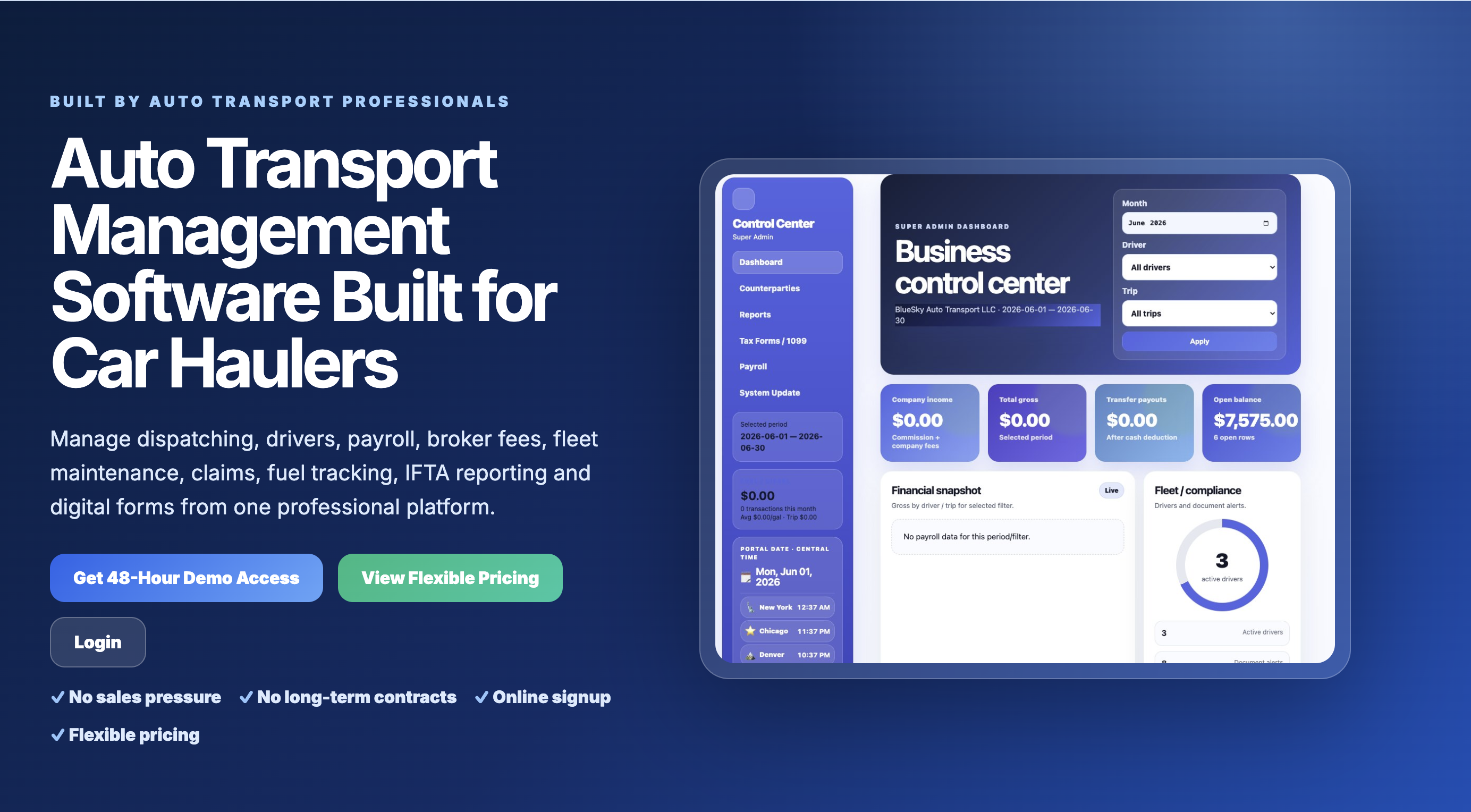
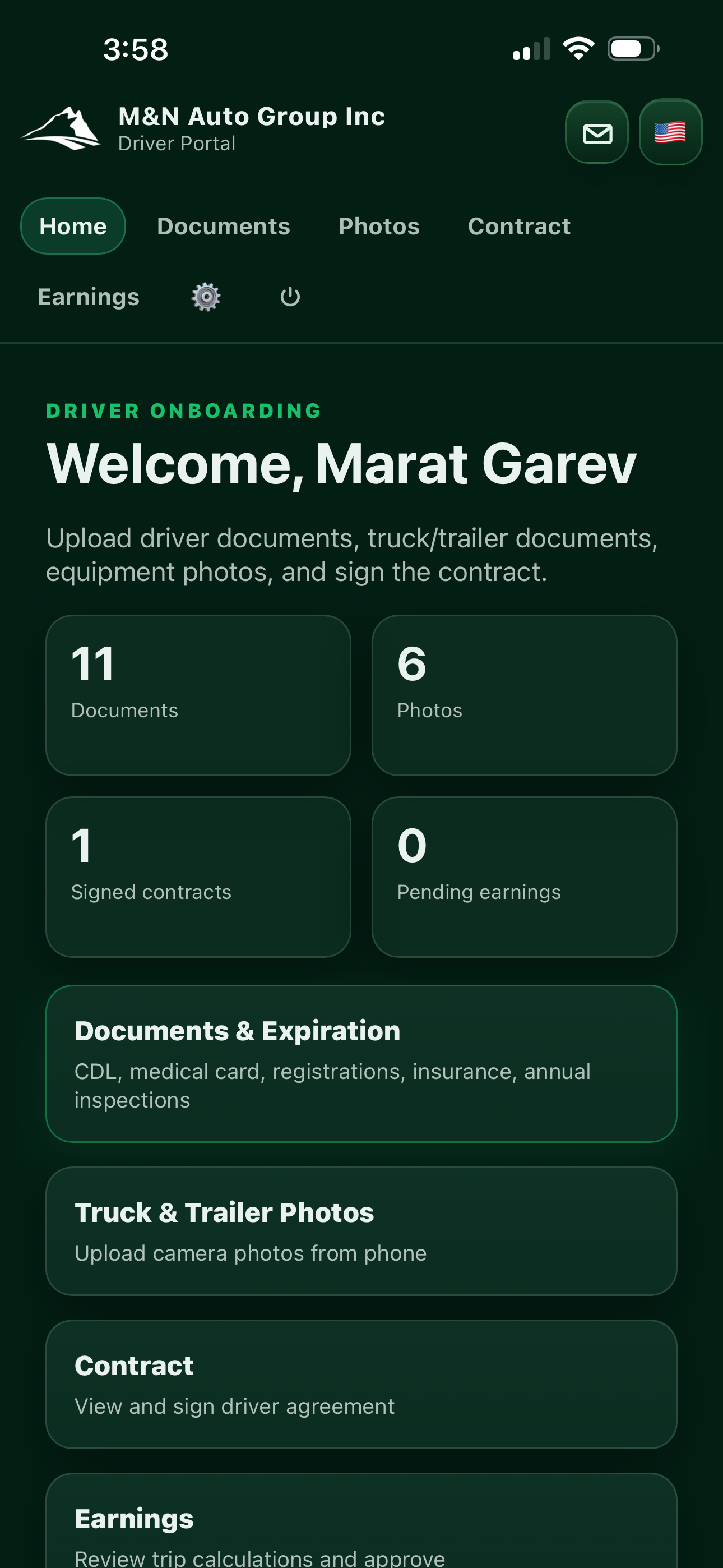
M&N Soft's Driver Portal case study demonstrates one approach to designing specialized transportation software around real roles and workflows.
We also provide custom transportation software development for operational systems, TMS workflows, driver portals, dispatch, fleet management and related business automation.
19 / BUILD VS BUY
Before building an internal portal, ask whether one already exists.
Custom software should not be the automatic answer.
If a mature SaaS platform solves the company's workflow with acceptable configuration, integrations and pricing, purchasing that system may be faster and economically stronger than building a replacement.
Custom development becomes more interesting when the company has specialized workflows, substantial manual coordination, proprietary business logic or integration requirements that generic software does not handle well.
Build when the workflow creates strategic value. Buy when the problem is already solved well enough.
20 / INTERNAL PORTAL VS CRM
Why not simply use a CRM?
Customer relationship management platforms are designed primarily around customer and sales processes, although modern CRM products can support much broader workflows.
If the company's central problem is sales pipeline management, a CRM may be exactly the right system.
But an operational portal may need to model entities and processes that have little to do with sales: equipment, claims, transportation loads, production tasks, internal approvals, employee workflows, specialized calculations or proprietary operational rules.
The distinction should be based on workflow, not terminology.
21 / INTERNAL PORTAL VS ERP
Does the business actually need an ERP instead?
Enterprise resource planning systems can integrate major business functions across finance, procurement, inventory, operations and other organizational areas.
For some companies, implementing an established ERP is more appropriate than creating custom software.
In other situations, the organization may need a narrower operational layer that integrates with accounting, CRM or ERP systems while handling company-specific workflows.
22 / INTERNAL PORTAL VS INTRANET
An intranet distributes information. A portal can execute workflows.
Traditional intranets often focus on internal communication, policies, announcements, directories and shared knowledge.
An operational portal may include those functions, but its defining value is transactional: users create records, perform tasks, approve actions, update statuses, upload evidence and trigger business logic.
23 / COST
How much does an internal business portal cost?
There is no reliable universal price because the term internal portal can describe dramatically different products.
A small application with authentication, a few roles, forms and a dashboard is fundamentally different from a multi-department system containing document workflows, mobile applications, integrations, reporting, AI and complex permissions.
We examine public U.S. software-development market references, pricing models and major cost drivers in Engineering 002: What Does Custom Software Really Cost for a U.S. Business in 2026?
The market ranges discussed there are informational references from public sources and are not M&N Soft prices, quotations or offers.
24 / THE MVP APPROACH
Do not build the entire company in version one.
A common mistake is attempting to replace every spreadsheet, every SaaS tool and every manual process in the first release.
A safer approach is often to identify one high-friction workflow and create a focused operational system around it.
Once real users begin working inside the portal, the development team gains better information about what should be automated next.
25 / DISCOVERY
Before writing code, map how the business actually works.
Discovery for an internal portal should examine users, roles, information flow, existing systems, documents, approvals, exceptions, integrations and reporting requirements.
Existing spreadsheets, forms, email templates, screenshots and documents are often extremely valuable because they reveal the workflow that employees already use.
The goal is not to digitize every existing step exactly as it exists. Some steps may exist only because the current tools are disconnected.
26 / A SIMPLE ARCHITECTURE
What might an internal portal look like technically?
Real systems may include additional services for file storage, background jobs, notifications, analytics, monitoring, caching, search, AI services and mobile applications.
Architecture should follow the actual requirements rather than adding complexity simply because a technology is fashionable.
27 / WHAT NOT TO DO
Five mistakes that can turn an internal portal into another problem.
1. Rebuilding every existing tool
Mature accounting, payment and communication products may be better integrated than replaced.
2. Copying the spreadsheet exactly
A spreadsheet reflects the limitations of a spreadsheet. Software can model the workflow differently.
3. Ignoring permissions until launch
Authorization affects data architecture and business logic. It should be considered early.
4. Automating a bad process
Software can make an inefficient workflow execute inefficiently at higher speed.
5. Building too much before users touch it
Real operational feedback is often more valuable than assumptions made during a long specification phase.
28 / DECISION CHECKLIST
Does your business actually need an internal portal?
Consider the following questions:
- Do multiple employees repeatedly enter the same data?
- Are critical workflows coordinated through email or chat?
- Do spreadsheets function as operational databases?
- Are documents difficult to connect to business records?
- Do managers lack real-time visibility into work status?
- Are approvals difficult to track?
- Do different roles need different levels of access?
- Do customers repeatedly request status information?
- Does reporting require manual consolidation?
- Do existing systems need to exchange data?
- Is proprietary workflow a competitive advantage?
- Is manual coordination becoming expensive?
The more often the answer is yes, the stronger the case for evaluating a centralized operational system.
29 / ROI
The portal should be justified by operational value, not by novelty.
A business case can consider employee time, error reduction, processing speed, customer response time, reporting effort, administrative overhead and the cost of maintaining disconnected workflows.
Some benefits are difficult to express as a single dollar amount. Better visibility, standardized procedures and reduced dependence on institutional knowledge can still be strategically important.
But custom software should ultimately solve a measurable problem.
30 / SECURITY QUESTIONS
Questions to ask before centralizing company operations.
- What data will the portal store?
- Which users need access?
- Which actions require elevated permissions?
- How are accounts created and removed?
- How are sensitive credentials and secrets handled?
- What needs to be logged?
- How will backups work?
- How are dependencies and infrastructure updated?
- What happens if an integration becomes unavailable?
- What data should never be exposed to a customer-facing interface?
31 / FURTHER READING
Related M&N Soft Engineering and case studies.
Engineering 001 — When Excel Stops Scaling
Engineering 002 — Custom Software Cost in the USA
Driver Portal — Transportation Software Case Study
32 / PRIMARY SOURCES & TECHNICAL REFERENCES
Standards and documentation relevant to internal business systems.
These sources provide additional technical context for access control, secure software development, identity architecture and application security.
NIST — Role Based Access Control ↗
NIST SP 800-218 — Secure Software Development Framework ↗
NIST SP 800-207 — Zero Trust Architecture ↗
33 / CONCLUSION
The right portal is not another place for employees to log in.
Businesses rarely need more software simply for the sake of having software.
They need fewer duplicated actions, clearer responsibility, better access to information and workflows that do not depend on people manually carrying data from one system to another.
An internal portal becomes valuable when it provides that operational layer.
The goal is not to put the company inside a dashboard. The goal is to make the company's real workflow easier to understand, control and execute.
DISCUSS YOUR WORKFLOW
Still using spreadsheets, email and disconnected systems to run operations?
M&N Soft develops internal business portals, custom software, workflow automation, transportation systems, API integrations and AI-assisted business tools.
The first step is understanding the current process. From there, we can determine whether the right solution is custom software, integration, automation or an existing platform.